

A Dovetail Phone Holder for Daytime Polar Alignment
I printed a phone holder that slides into my mount's dovetail clamp, so I can get close to polar alignment before the telescope goes on.
Good polar alignment is one of the most important parts of successful astrophotography. Without it, stars drift across the frame during long exposures, and the mount's guiding has to work harder to keep them still. A sloppy alignment costs you usable frames and time.
Setting up the telescope and aligning it to the celestial pole takes time. Some people solve this by permanently mounting their scope in an observatory. I set mine up each night I go out, and placing the tripod close enough to north takes practice.
Tripod placement matters because my ZWO AM5 mount's azimuth adjustment is rated at ±10°, so the tripod only needs to be roughly north. If it's farther off than that, the alt/az knobs can't correct it. When that happens, you have to rotate the entire rig, which is very heavy, re-level it, and run the polar alignment again. That costs me a good 15 minutes every time.
Once the tripod is in place, you still have to run the polar alignment procedure for your setup. I use the ZWO ASIAIR's polar alignment in Alternative Mode, which works much like NINA's three-point polar alignment. The mount slews to several points in the sky, the ASIAIR plate-solves the images at each point, and it calculates how far the mount's axis is from the pole. It then shows the altitude and azimuth error on screen, and I adjust the knobs in small increments until the error is small.
Finding a Better Way to Start
For a while I used Polar Scope Align Pro to set up my scope. It lets you hold your phone against the mount and do a daylight polar alignment. I used it to prepare for the August 2026 solar eclipse in Iceland, and so far I've always been within 2° of the pole, well inside the AM5's ±10° range. The problem was that it was hard to hold the phone steady and adjust the mount at the same time. I wanted a phone holder that attached directly to the mount.
Building the Holder
I had already had Claude build a dovetail plate in WarpCad, a browser-based CAD program, as I described in another article. I started from that plate and asked Claude to model an iPhone 17 Pro in a TechWoven case, so I could cut out the camera plateau and let the phone lie flat on the plate. Then I added a shelf at the bottom so the phone can't slide off when the plate is tilted toward the pole. I had dreamed up the idea the night before. I printed it in MatterHackers Build PETG on my Ultimaker 2+ Extended, and it was real.
The plate slides into the mount's saddle just like the telescope does. With the mount in its home position, the saddle points at the pole, so the phone lying on the plate points there too.
This is the final model:
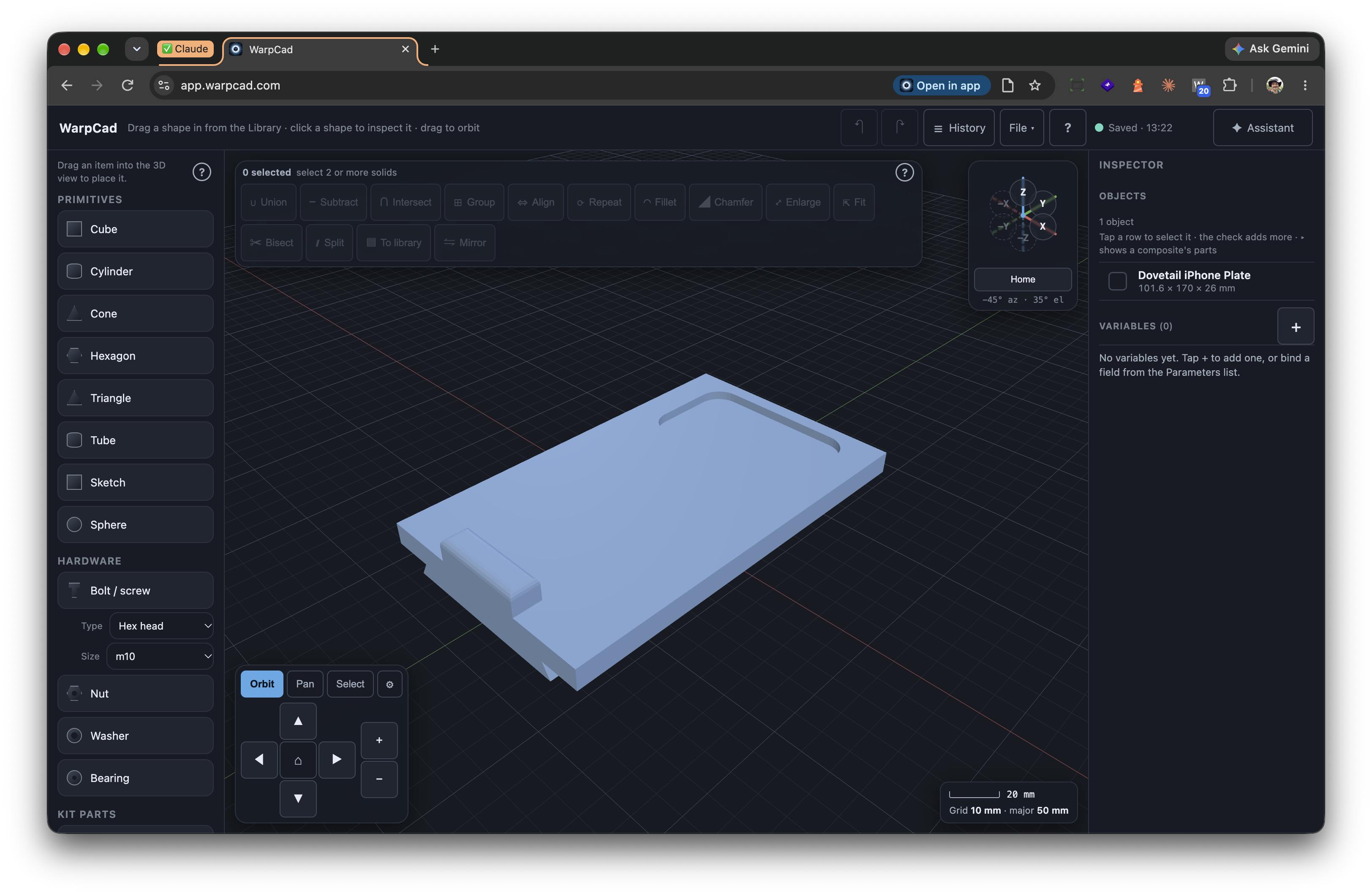
The WarpCad source code is on GitHub if you want to look at how it works.
Checking the Alignment
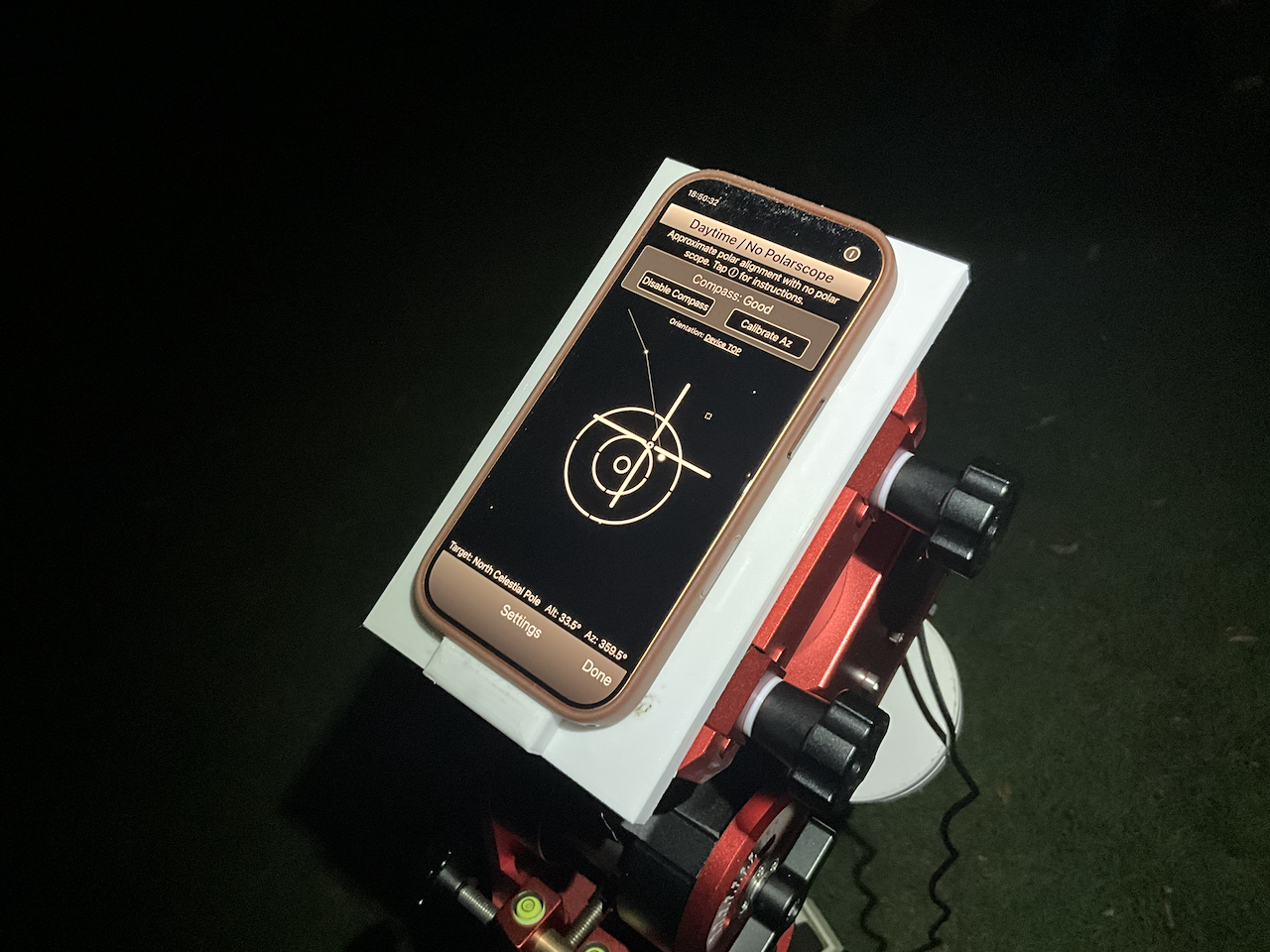
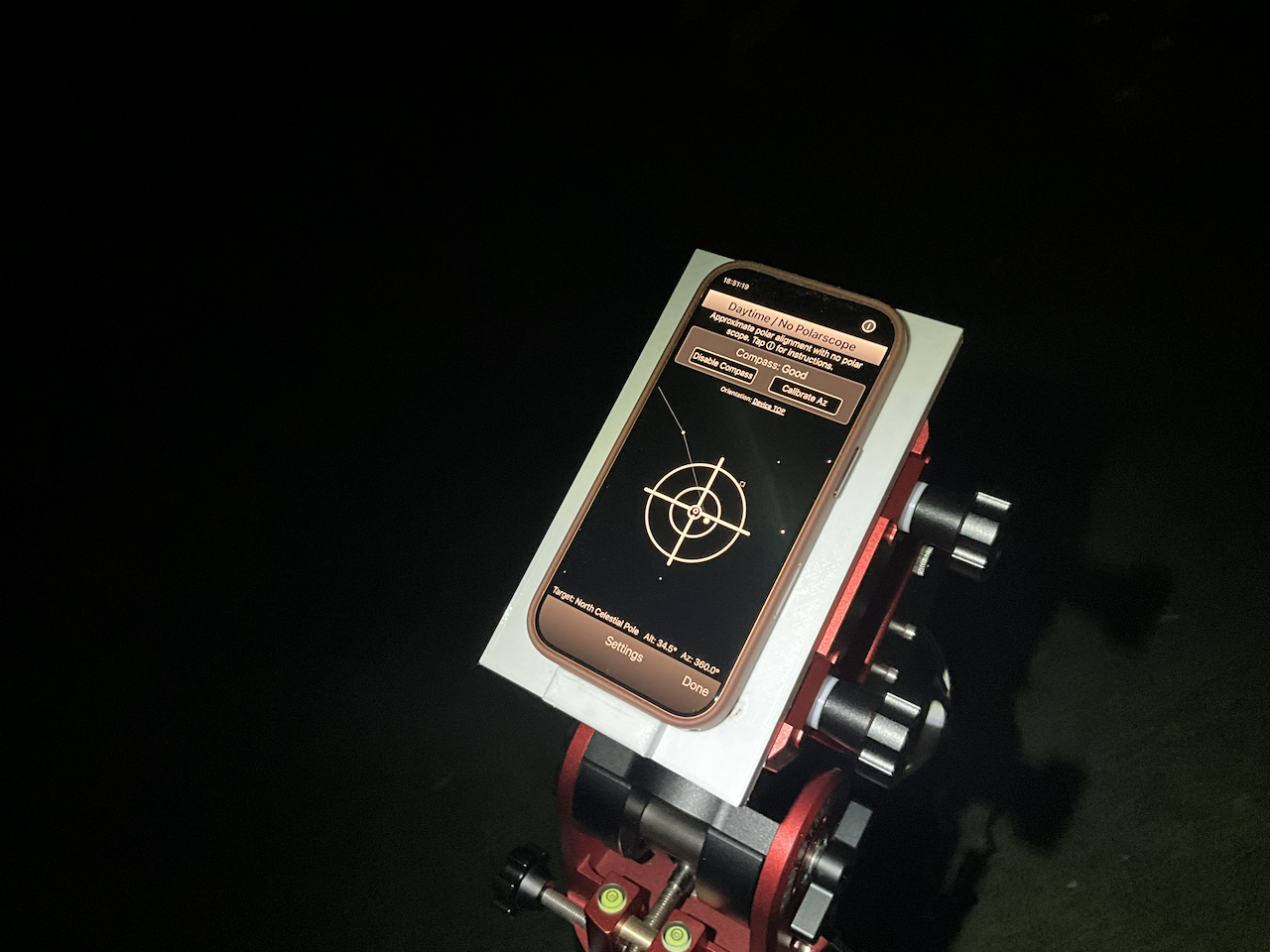
With the phone on the mount, the app's Daytime / No Polarscope mode uses the phone's compass and tilt sensors to show where the polar axis is pointing. You don't need stars, so it works in daylight or at dusk, like in these photos. Here the alignment is slightly off, with the target circles sitting a little away from the center:
After adjusting the mount, the target circles are centered on the crosshair:
Why It Helps
With the phone on the mount, I can level the tripod and get the mount close to the pole before the telescope goes on. If the tripod is too far off, I find out while the rig is still light enough to move, instead of losing 15 minutes resetting everything. Then the ASIAIR's fine alignment only has a few small corrections to make, and I start imaging sooner.
This article and the earlier dovetail plate article are also on jwc.dev, along with my other astrophotography and maker projects.