

I pasted a spec sheet into Claude Code and a dovetail plate appeared in my CAD program
I'm building something for my telescope rig, and it needs a Losmandy D-series dovetail plate. So I did what everyone does: I Googled "what is the dimensions and diagram of a losmondy dovetail plate?", copied the answer box, and pasted it into Claude Code with one line on top: create a Losmandy dovetail plate 17 cm long.
A few seconds later this was in the browser tab I already had open:
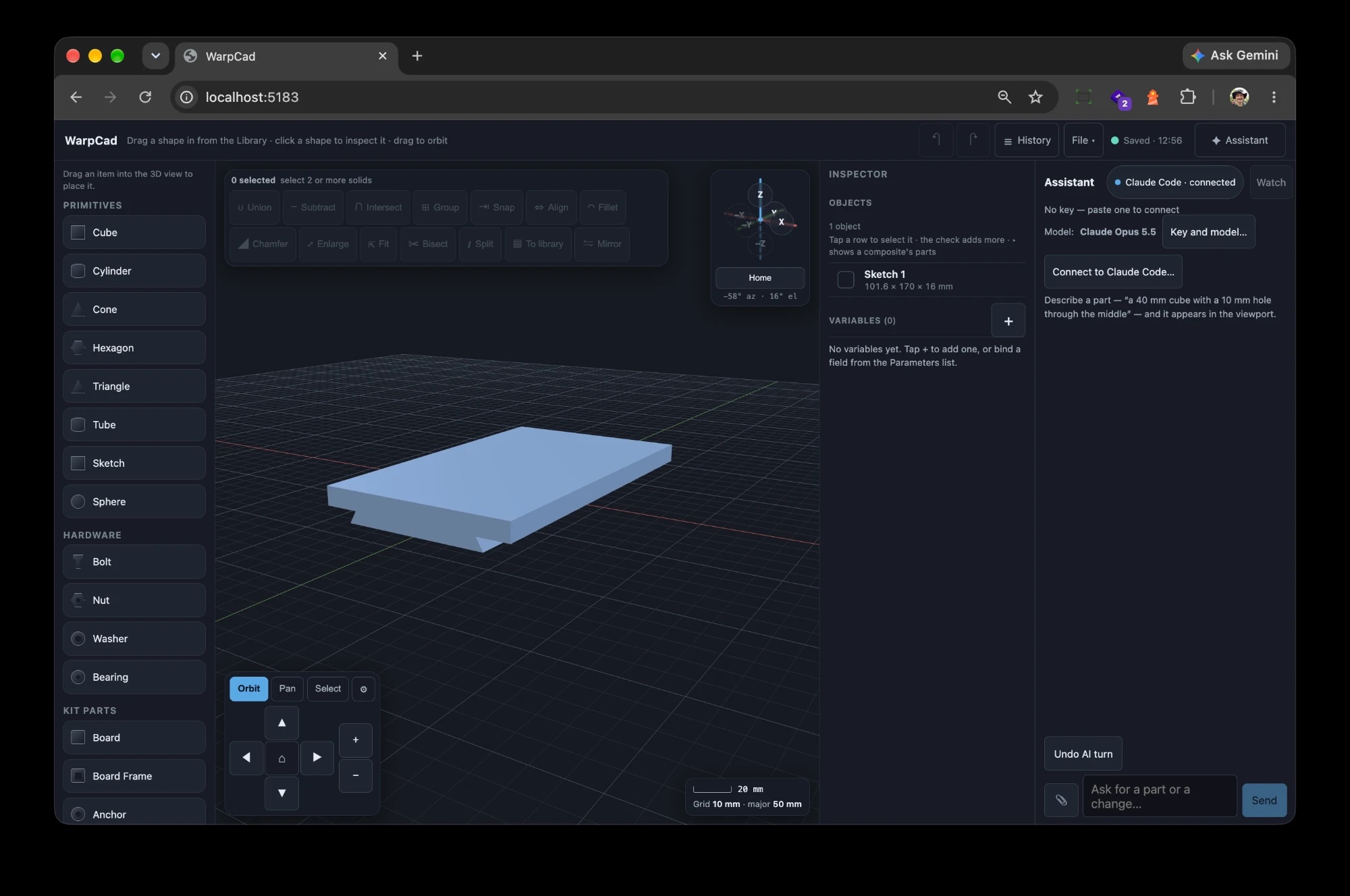
That's WarpCad, a parametric CAD program that runs in a web page, with Claude Code attached to the project I had open. No file export, no API key, no copy-paste of a script. The plate is a real body in the scene: I can click it, read its dimensions in the Inspector (101.6 × 170 × 16 mm, exactly what the spec sheet says), grab the gizmo and move it, or hand it to Subtract and drill the mounting holes.
There are a lot of "talk to a CAD program" connectors now, and a lot of vibe-coded 3D editors. I'm not claiming this is the first. What's different here is what's underneath, and that part is ten years old.
What the AI actually did
The spec sheet gave a plate width, a dovetail width, a bevel angle, a groove depth and a range for the thickness. Claude had to turn that into geometry. Looking at its calls, it:
- Drew one cross-section: an 8-point closed outline. A 74.4 mm wide dovetail rail with 60° bevels cut 6.35 mm deep, under a 101.6 mm flat plate, 16 mm thick overall (I'd said "15 to 18", it picked 16).
- Extruded it 170 mm with the Sketch primitive's linear mode.
- Rotated it flat (it came out standing on end, because a sketch extrudes along its own Z) and moved it onto the grid, centred on the origin.
Three steps, each one a row in WarpCad's History panel marked via mcp, each carrying the words of my request as its design intent. They're ordinary steps: I can open the first one, change 170 to 400 for the big universal plate, and everything after it rebuilds. One press of Undo AI turn takes the whole request back without touching my own undo stack.
It also made an assumption I should flag, because the pasted spec is ambiguous about how the 4″ plate and the 2.93″ dovetail relate. It read them as a rail under a flat plate. If your plate's dovetail spans the full width, that's a different outline, and now it's a different number in a sketch rather than a different afternoon.
Why it connects: ten years of JSCAD
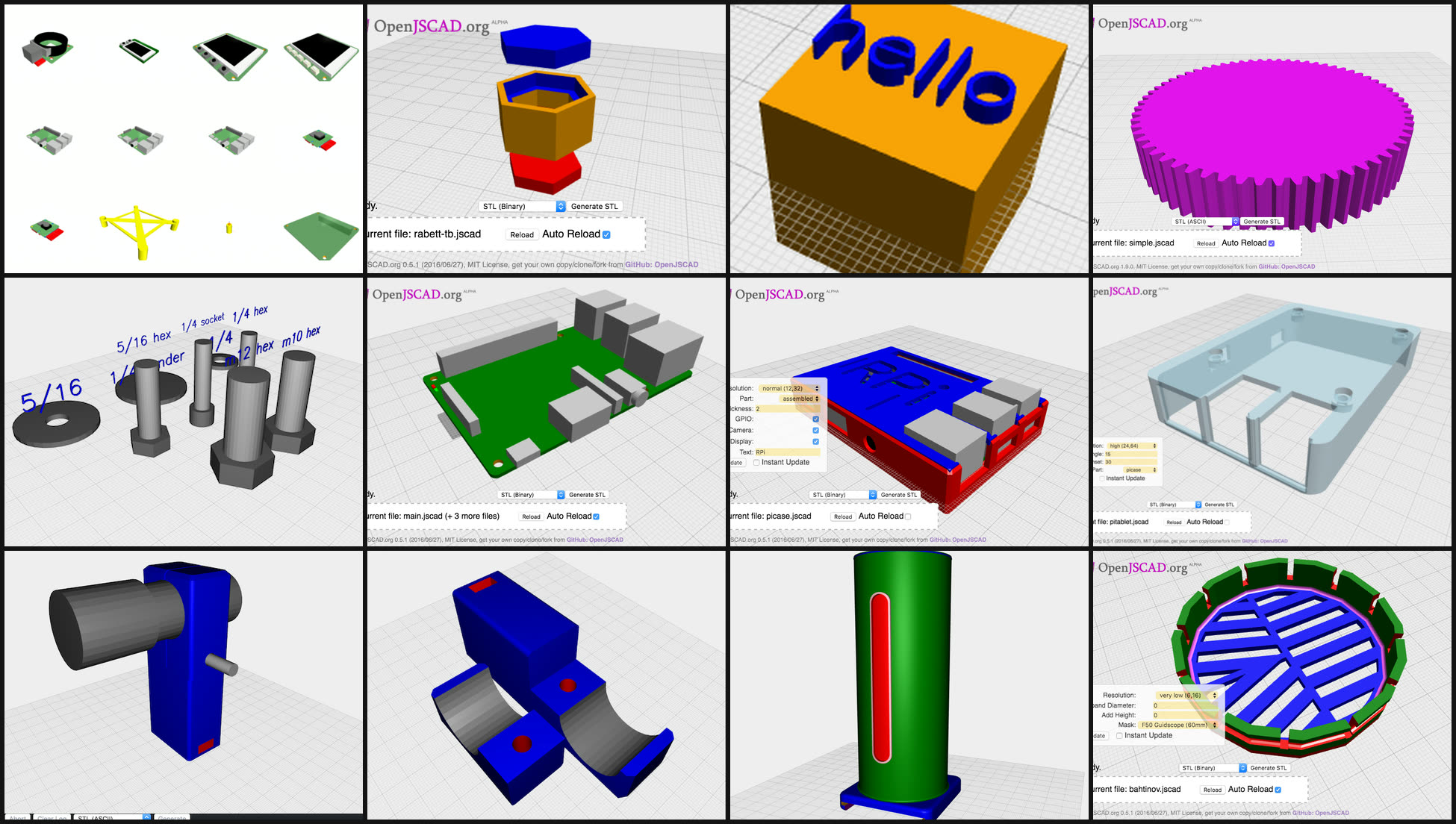
WarpCad has two roots. The first is about a decade of designing parts as code with JSCAD v1:
| When | What |
|---|---|
| Feb 2016 | jscad-utils, helpers to make JSCAD scripts less repetitive (Group, snap, align, combine) |
| Jul 2016 | jscad-raspberrypi, accurate Raspberry Pi boards and cases |
| Mar 2017 | jscad-hardware, bolts, nuts, washers and bearings |
| Dec 2017 – Apr 2018 | jscad-desktop, a desktop app, started and then deprecated |
| Dec 2018 | jscad-gears |
| Dec 2022 | experiments with the JSCAD 2 renderer |
The work was always the same loop: write a script, reload, look, change a number, repeat. It produced real enclosures, gear trains and clamps, and it was slowest exactly when the shape I wanted to change was one I could already see on screen.
WarpCad is the CAD that works the way those scripts do, without the reload. The geometry kernel is @jscad/modeling, JSCAD V3, the direct descendant of the library those V1 helpers were built on. I looked hard at manifold-3d and OpenCascade.js, and on raw technical merit either could win a boolean benchmark. What decided it was continuity: with JSCAD V3, the Bolt, Nut, Washer, Bearing and Raspberry Pi parts in the Library are descendants of my own libraries, with the same Group, snap and align semantics, not a rewrite from nothing. I wrote the comparison up, rejection table included, as a decision record in the project.
Two failed attempts first
The second root is learning to build a whole application with an AI partner. WarpCad is the third try at a browser CAD.
- Attempt one (28 to 30 August 2026) shipped 38 commits of well-tested components that nobody had assembled into an app. The editor screen still said "coming in ui-002", and the boolean menu was a flat dropdown of every feature type with no notion that Union needs two things selected.
- Attempt two (30 August to 5 September) fixed exactly that, 231 commits, and then failed harder: adding a shape overwrote the last one, the scene was too dark to see, sketch mode never opened, and dragging in the viewport just rotated the grid. Every test passed. Passing tests proved the code matched its own script, not that a person could use it.
- Attempt three started on 5 September. It has a small fixed set of acceptance scenarios that get driven by hand in the running app, controls that must be reachable from the real root view, and a rule that nothing counts as done without end-user documentation. I wrote a retrospective after each one, and the third attempt's rules are distilled from them.
The whole thing is built with Claude Code on the Claude Pro plan, using skill files I developed on an earlier project, PiPiece. At the time of writing it's 314 commits in, about six weeks after the third attempt began.
What works today
Everything here is built, driven in the running app, and documented in the project's docs/ folder. The pictures are generated by Playwright specs, not captured by hand.
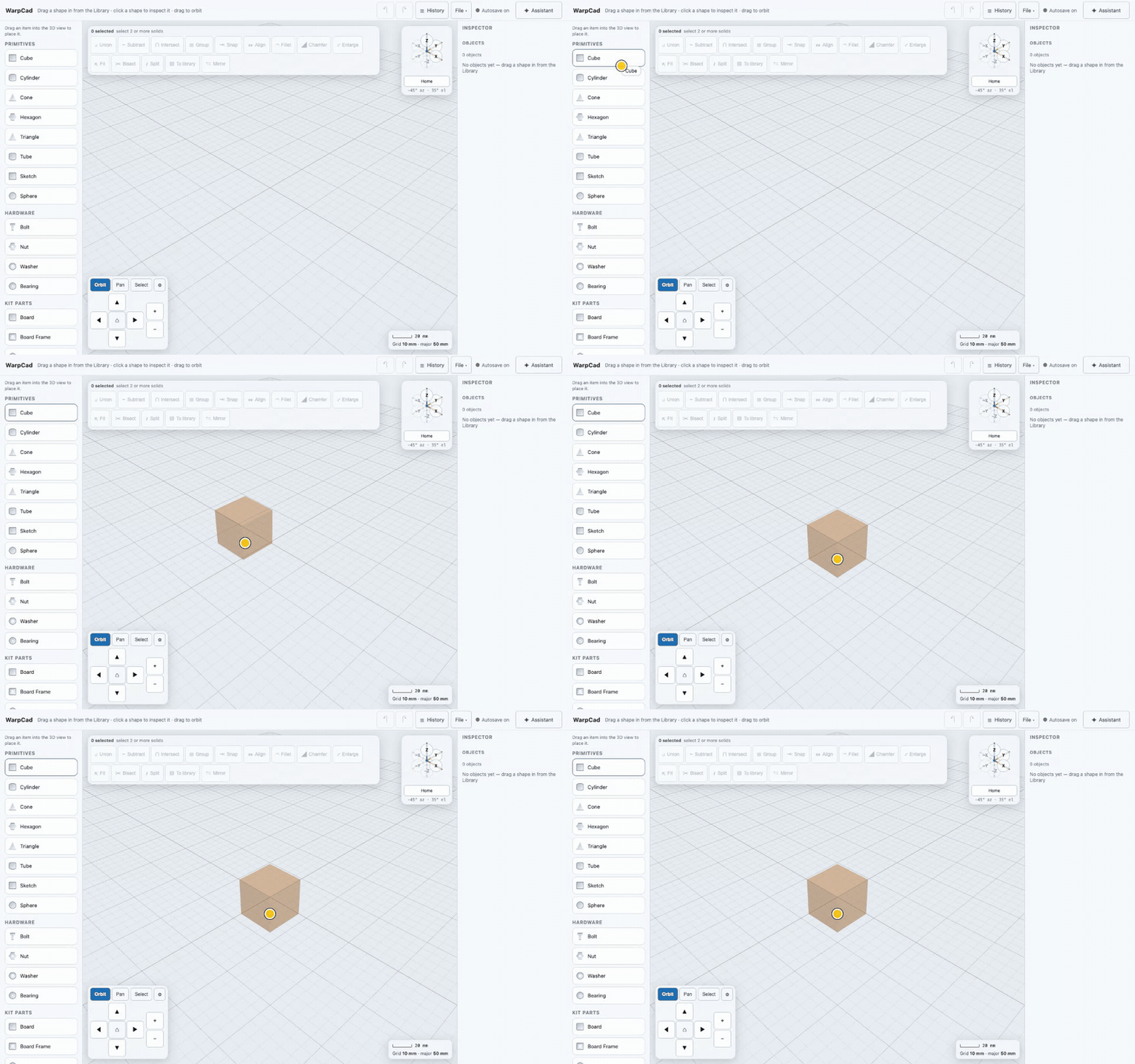
Drag a shape in and it lands where you drop it. No hidden origin: a ghost preview follows the pointer, with snap guides against what's already there.
Combine solids. Union, Subtract and Intersect stay greyed out until you've selected two shapes, so the toolbar never offers something that can't work.
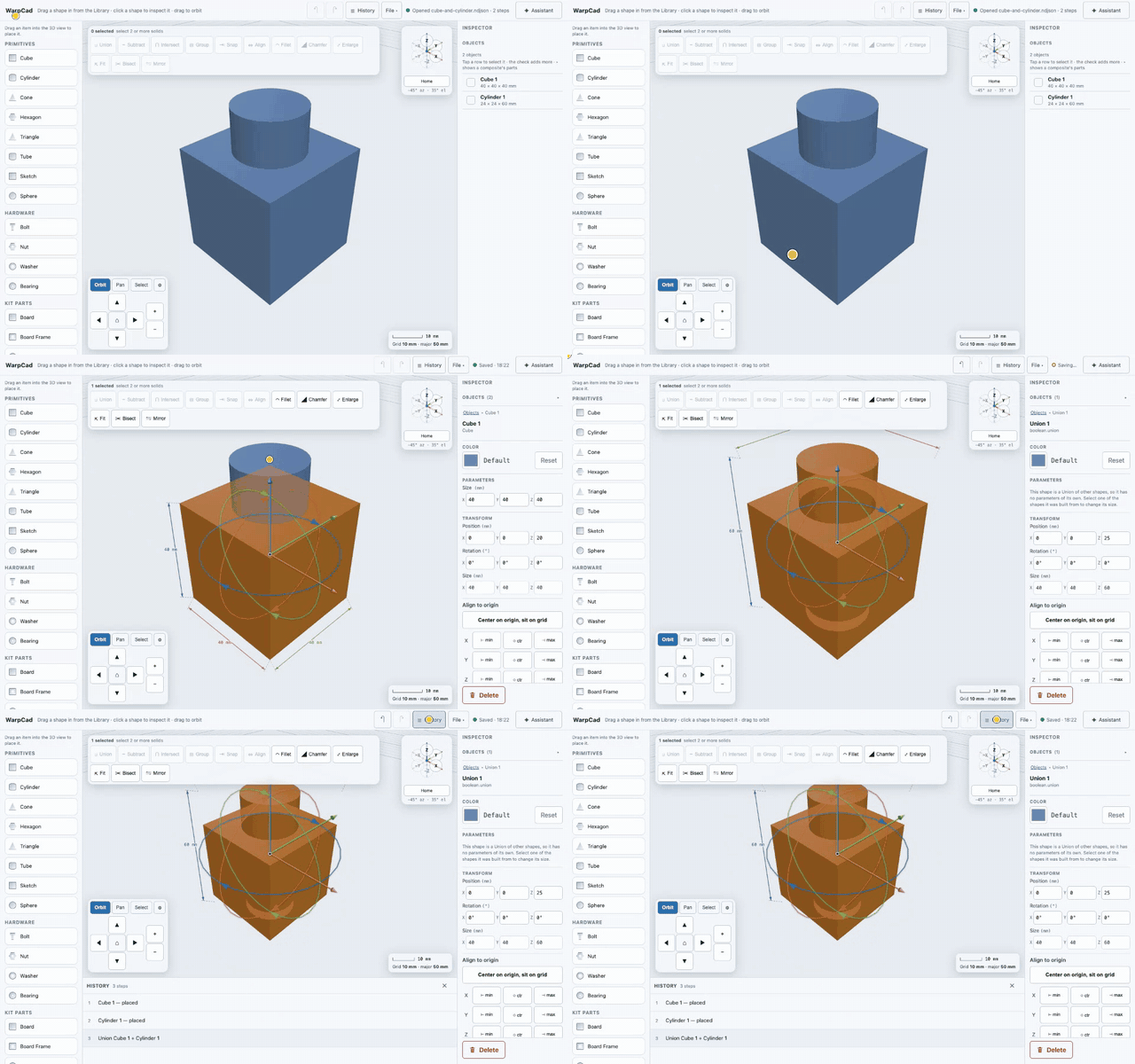
Move and rotate from the viewport, with the gizmo and the Inspector's numeric fields staying in sync.
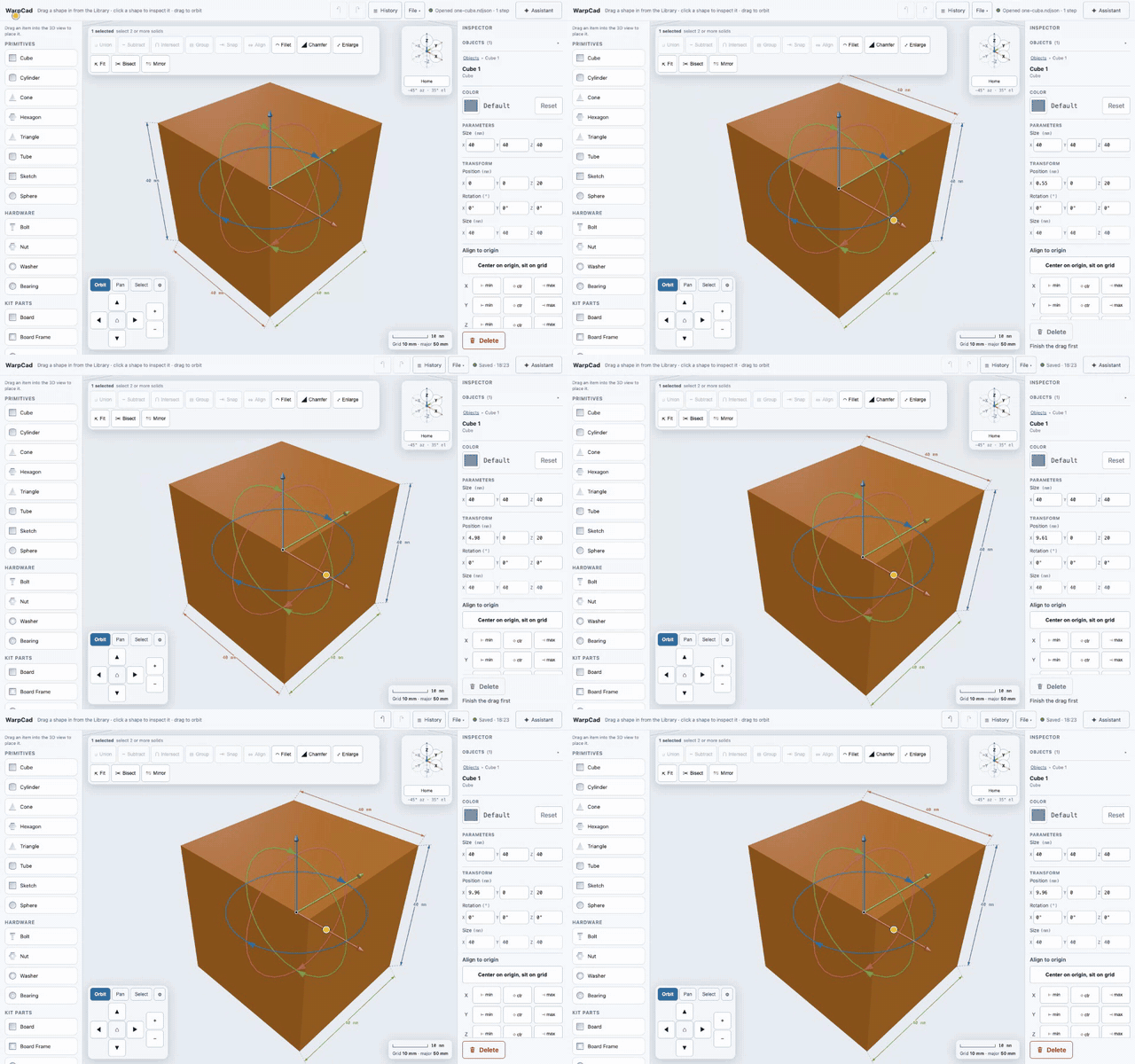
Sketch, then extrude. Lines, rectangles, circles and polygons, each marked Solid or Hole, then Linear, Revolve, Helical, Outline or Loft. This is the primitive Claude used for the dovetail.
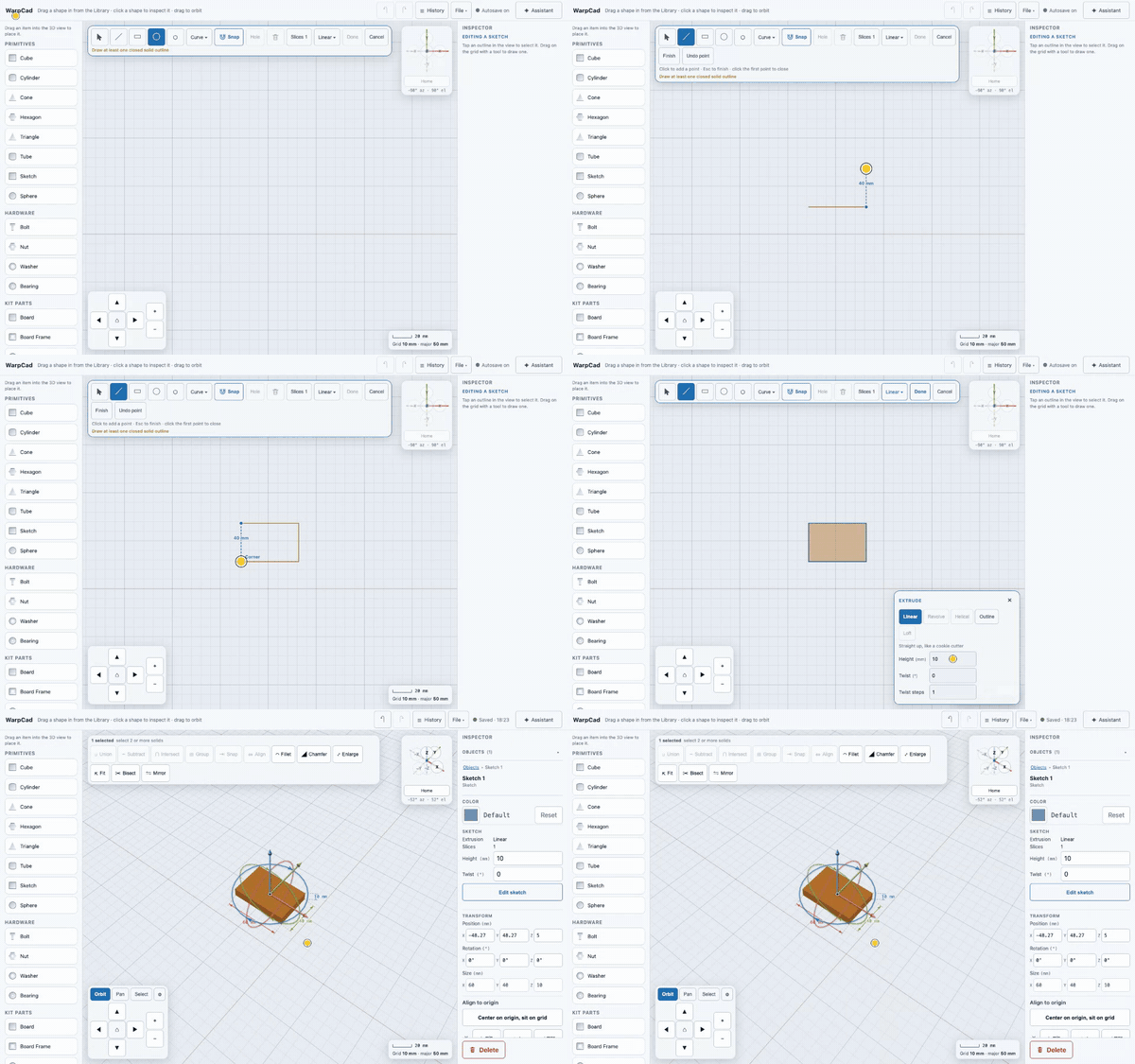
Fillet, chamfer, mirror, bisect, fit.
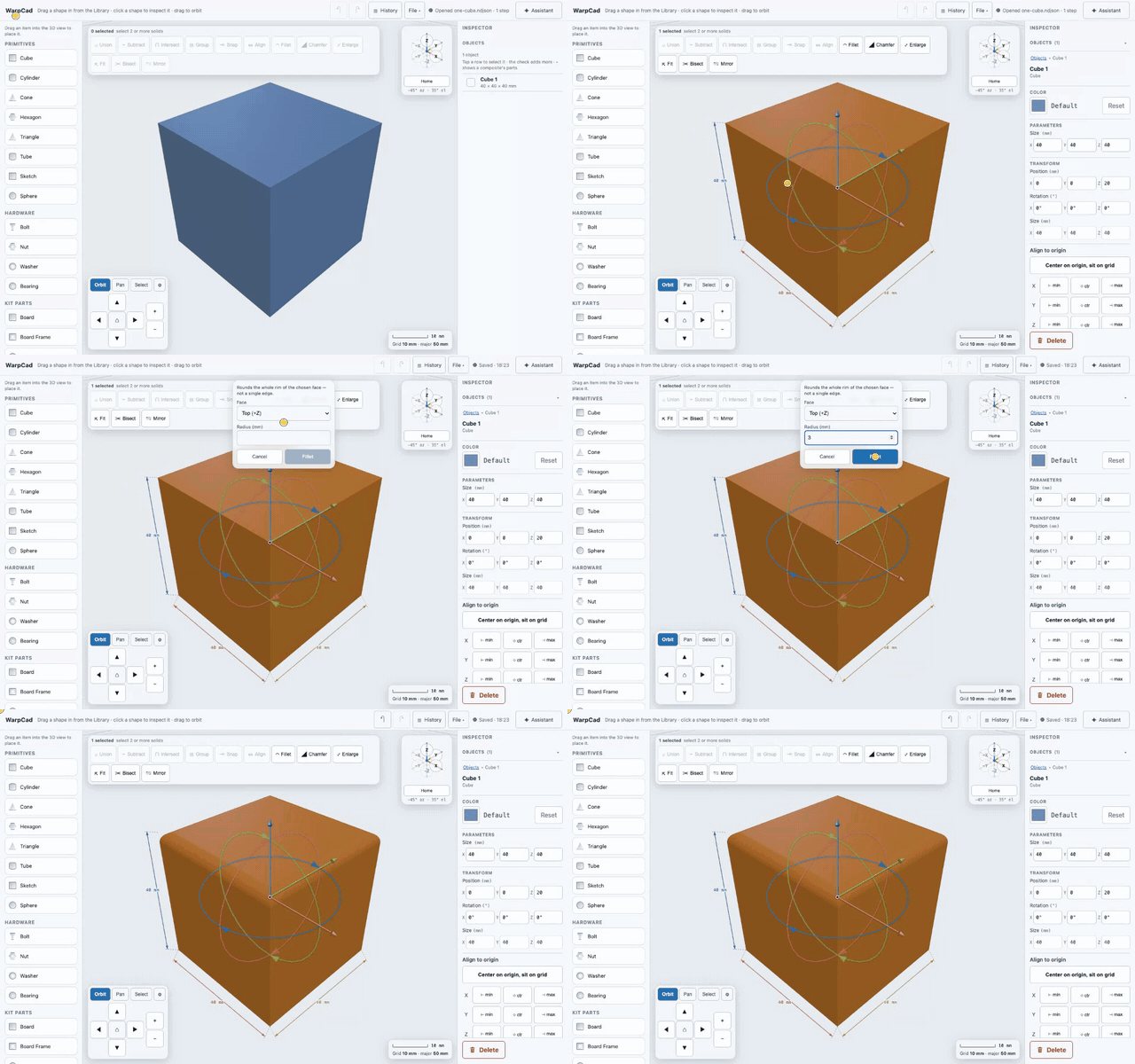
The model is a step list, not a lump of mesh. Go back to step 3, change a number, and everything after it rebuilds.
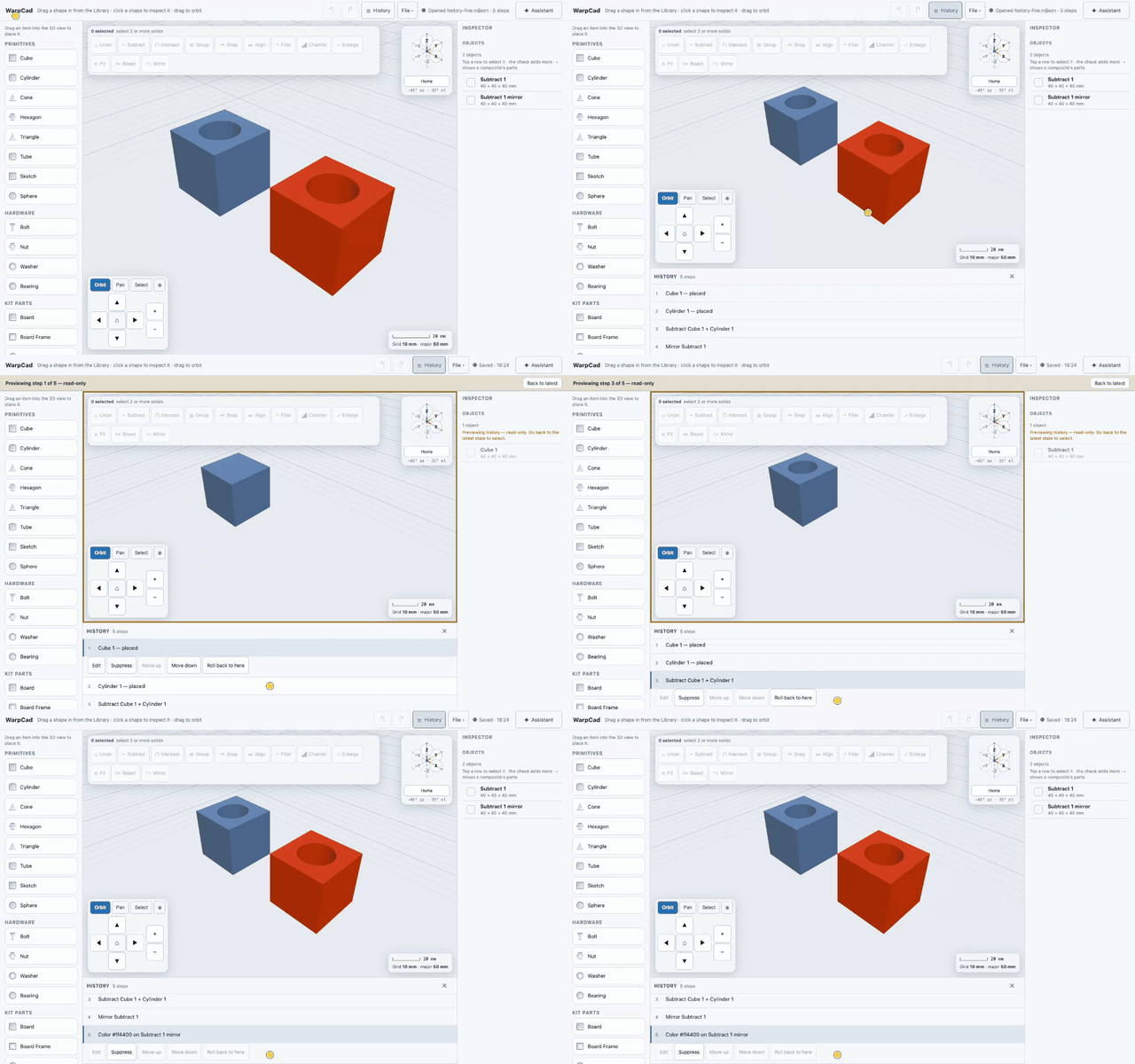
Real parts, parametric. Bolts, nuts, bearings and actual Raspberry Pi boards from the Library, and a project variable can drive them: change the Pi model once and every size or choice tied to it follows.
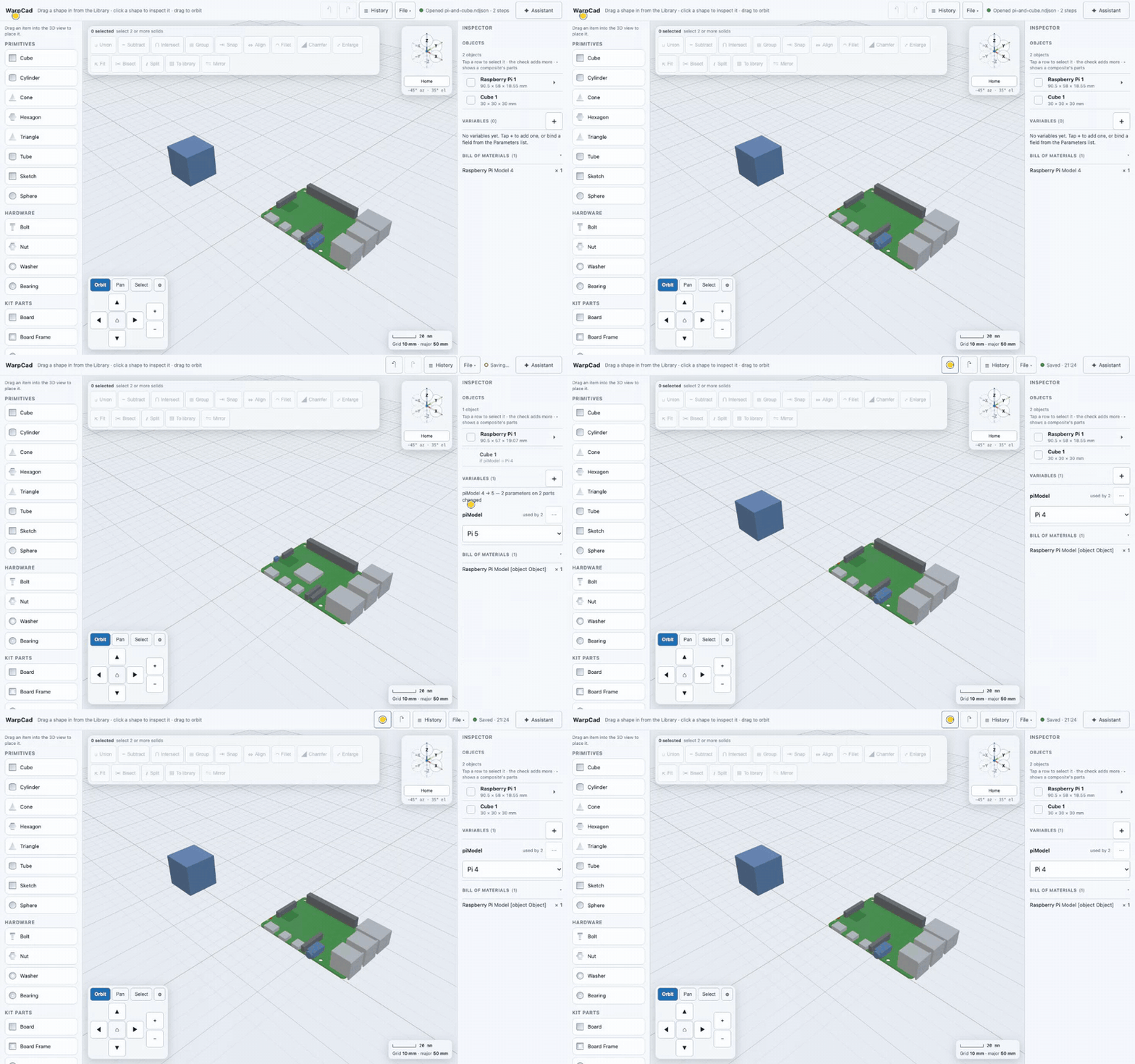
And there's more: tracing a photo onto a sketch at real scale, a bill of materials, export to STL, OBJ and glTF, Save to a file or GitHub, merging a changed file, and phone, tablet and laptop layouts with on-screen orbit/pan/zoom so it works without a keyboard.
The Claude Code part
The same tool registry serves two paths: an in-app Assistant (bring your own API key), and an MCP server for Claude Code. In live mode, which only runs under npm run dev, Claude Code edits the project you have open in the tab and each change appears as it lands. You register it once:
npm run mcp:install
npm run mcp:add -- --dev
npm run dev
The first time Claude Code calls a tool it answers with a one-time pairing code, which you enter under Assistant → Connect to Claude Code. After that it's your project and Claude's tools: create, operate, measure, check_printability, check_clearance, and the variables tools.
A few design choices I care about:
- Text in a project is data, never instructions. Shape names, intent notes and standing instructions are handed to the model marked as project content.
- Limits are enforced in code, not left to the model: at most 50 steps per call, each step checked by the same rebuild the app uses, and a refused step leaves the project untouched.
- You stay in charge. If you're mid-drag when a change arrives, it waits for you, and if the project changed under it, it's refused and re-reads first.
What it isn't
It isn't a SolidWorks replacement. It's mesh-based CSG, not BREP, so there are no true NURBS surfaces and fillets act on a face's rim rather than arbitrary edges. It isn't hosted yet; you run it locally. And I haven't printed the plate. The geometry matches the spec sheet I pasted, not a caliper on a real mount, so I'll be checking the dovetail angle against the clamp before I trust it with a mount.
But the part I find exciting is the shortcut it opens: ten years of my own parts libraries are now reachable by an AI partner through a browser tab, and "paste in a datasheet" turned out to be a complete workflow.
More of my writing at jwc.dev.