

The Libraries Didn't Fit. Claude Haiku Wrote Smaller Ones.
Reviving an old ESP8266 Feather and its Enviro+ wing with Claude Code and Haiku 5.5
The Problem
I have exactly one Adafruit Feather HUZZAH ESP8266, with a Pimoroni Enviro+ FeatherWing on it. The pair ran a few years ago. We never found that code, and I couldn't tell you which firmware it ran.
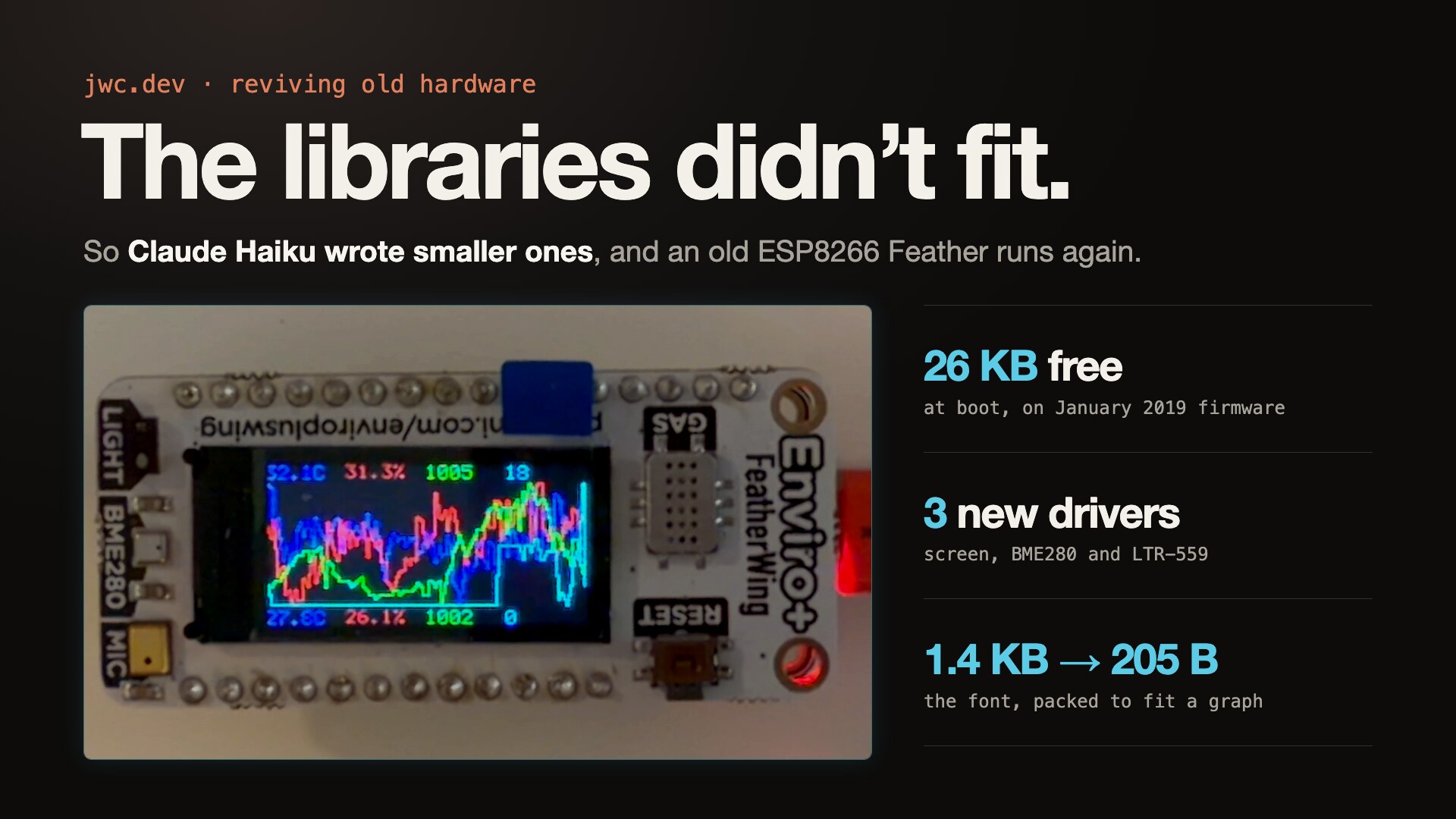
The current software won't run on it. CircuitPython dropped ESP8266 support, which leaves this board on 3.1.2, a January 2019 build. The Enviro+ library's screen code needs displayio, which that build doesn't have, and its pin map covers the M0, M4 and nRF52840 Feathers and raises NotImplementedError on anything else. Adafruit's current BME280 driver uses f-strings and type annotations, and that firmware can't parse either one. On top of that, the board boots with about 26 KB of free memory.
I'd already brought a decade-old TEMPerHUM sensor back with Claude Code, so I tried the same thing here, this time on Haiku 5.5, the smallest Claude model. It did nearly all the work. I'll get to the exception.
First, the Board
I started by asking for a script to find the board and manage its files. The first example I ran died with 'NoneType' object is not subscriptable. Haiku traced that to microcontroller.nvm, which this build doesn't have, and wrote a stand-in that kept the test runner's state in a file.
That fix got the tests running, and it may also have set up the worst bug of the project. After test runs, the board's root directory turned into about 130 garbage file names and my files disappeared. Errors started pointing at innocent lines, including a SyntaxError on a plain i += 1. I asked for flash and erase commands, and we reflashed again and again while Haiku narrowed it down.
The evidence kept pointing at the test runner, which rewrites its state file and resets the board for every test. Haiku was upfront that it couldn't prove the cause. I had it move the runner out of the boot path, and the corruption stopped.
Then the Screen and Sensors
The screen stayed blank because the code couldn't run at all. So Haiku needed the pins, and it couldn't find a table of which GPIO sits at which header position. It asked me for a photo of the board, read the silkscreen, and wrote an ST7735 driver over plain SPI.
The first test showed flashing, scrambled noise. Haiku tried a slower SPI clock, then held the control pins, then ruled out watchdog resets, then filled the controller's whole memory. None of that stopped it. It can't see the screen, so each test came with a list of what I might see and what each result would mean. Moving the board from my MacBook's USB port to a powered hub stopped the flashing, though we never separated power from the connection as the cause. About half an hour after that first test, I had solid green.
Text came next. The top line was cut in half, and moving it didn't help. So Haiku drew TEMP at rows 00 through 70, labeled each one, and asked what I could read. I told it the 20 line drew one pixel row and the 30 line was the first full one. From that it worked out that the glass starts 26 rows into the controller's memory, and it fixed the driver.
The sensors went the same way. The Adafruit BME280 package wouldn't load in the memory available, so Haiku wrote bme280_min.py, 117 lines that read the registers and apply the datasheet's compensation formulas. The full LTR-559 light driver wouldn't compile even after stripping it from 20 KB to 12 KB. Its replacement is 2.7 KB.
I didn't have a multimeter to find the backlight pin, so Haiku swept PWM on GPIO0 while I watched. At 1 kHz the screen was only on or off, and at 200 Hz I could see several levels.
Then the Way I Wanted It
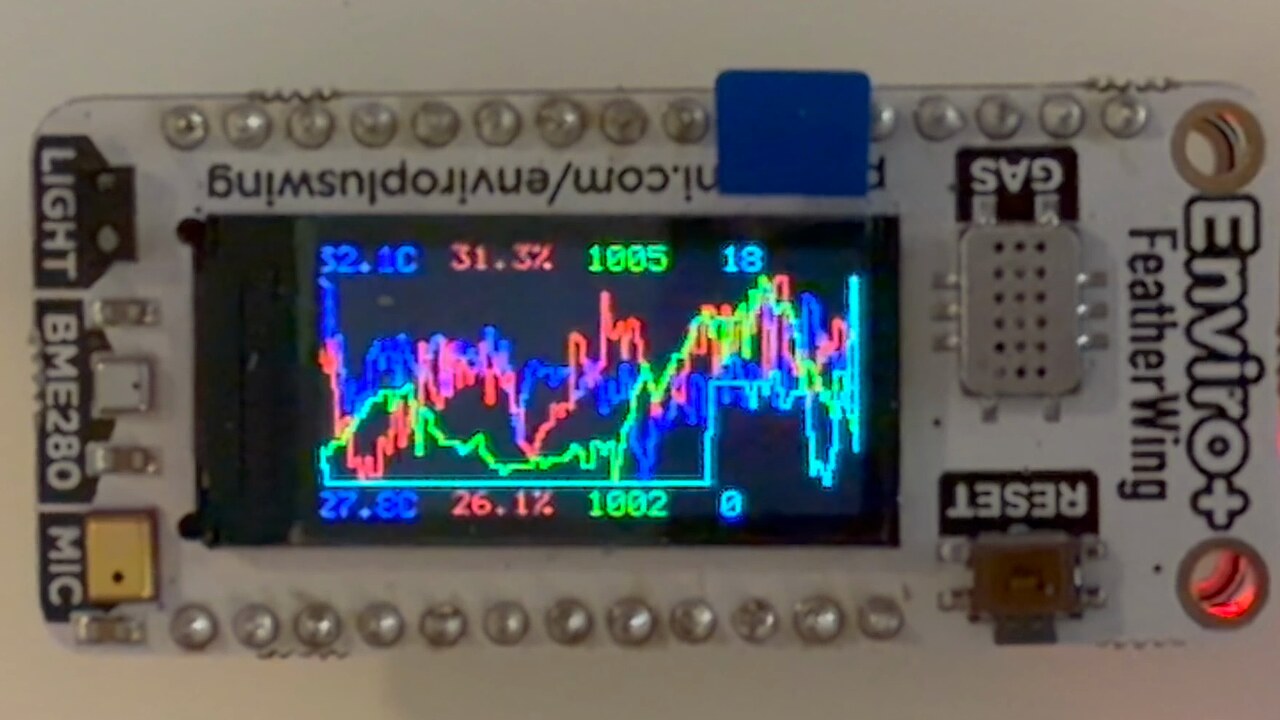
Once the readings worked, I could just ask for what I wanted: a big temperature on the left with small readings on the right, Celsius and Fahrenheit in turn, brightness that follows the room light, a small JSON web server, a request counter and a network view.
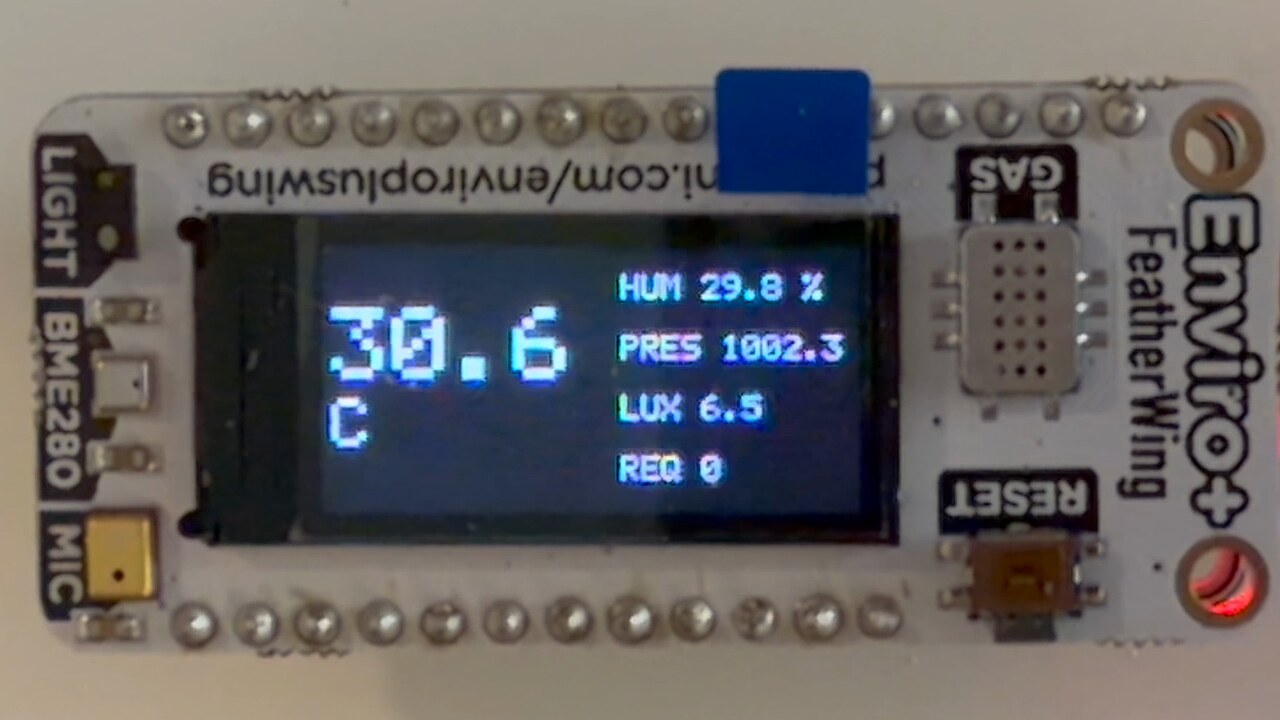
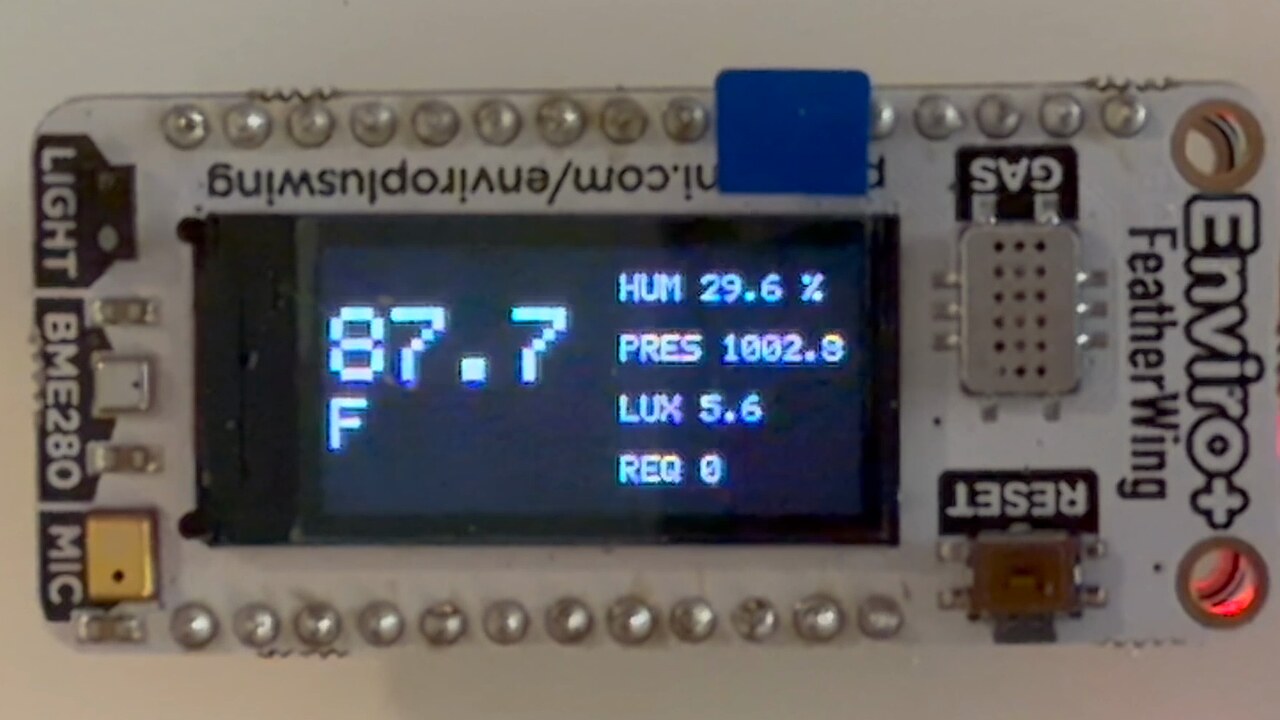
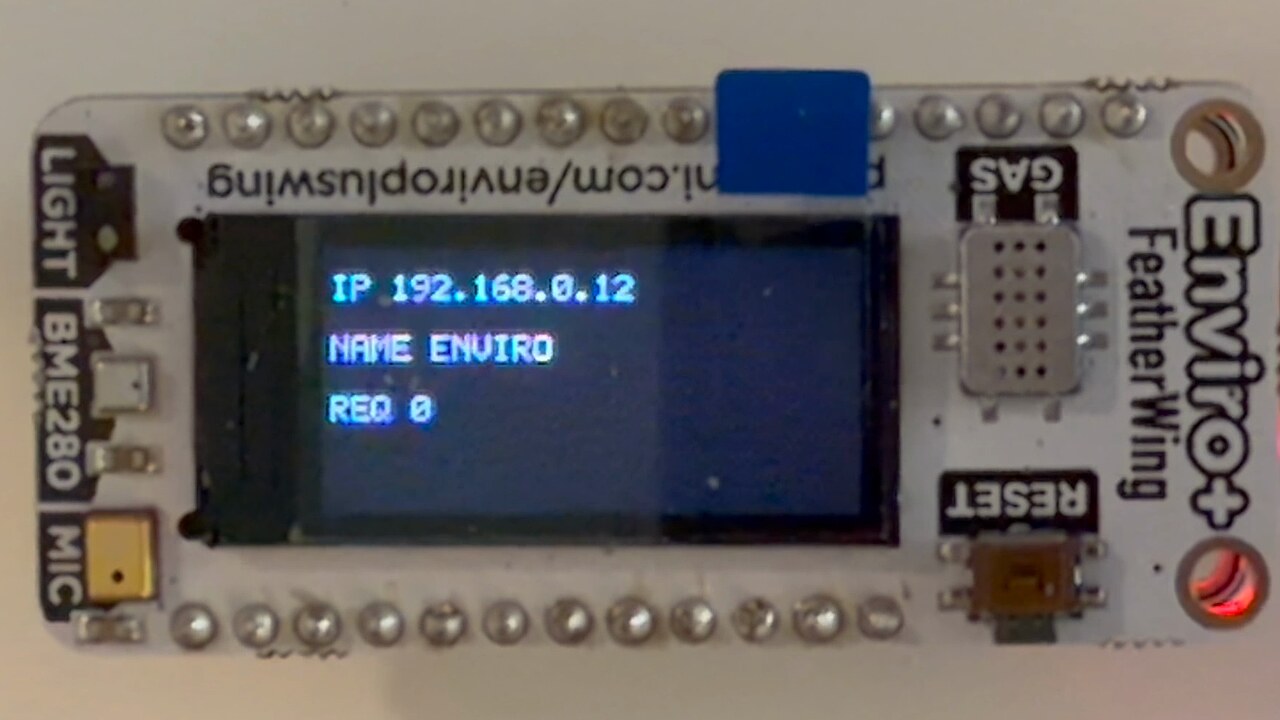
Then I asked for a 24-hour graph, and that didn't fit.
Haiku tried reordering imports, a smaller history and a fallback. The server import kept failing, 128 bytes short, then 148, then 302. It put the board back on code that booted, told me plainly the graph didn't fit, and gave me options. I took its recommendation and we kept cutting:
- The font. About 1.4 KB of strings became 205 bytes, five per glyph, checked on the host against the old render.
- Two hidden lists. Screen rows and HTTP replies were built through Python lists at four times the size of the data, so a 324-byte row needed a 1,296-byte allocation. Both now fill a
bytearray. - The graph code. With about 11 KB free after the server and drivers loaded, one graph module was too big to compile, so data and drawing became separate files.
- The history. Five-minute samples needed a 2,304-byte block, and the fragmented heap didn't have one. Ten-minute samples need 1,152 bytes, and 144 points still cover the day.
Haiku also tried drawing the graph in steps to keep the server responsive, but accept timeouts of 0.1 s and 0.5 s made connections reset. It backed that out. Drawing the graph now blocks the server for about 1.5 seconds each time that view comes up.
What Didn't Come Back
The gas sensor is the one I really wanted. The MiCS6814 has three analog outputs and the ESP8266 has one ADC, so it's out, and so is the particulate sensor. The graph history lives in RAM, so a reset starts it over. The temperature also looks high, about 31 C in the photo above. Haiku flagged that the board's own heat may be warming the sensor, and I haven't checked it against a thermometer.
The exception I mentioned is security, which I did with Opus 5.5. Haiku wrote the first version of the web server, then Opus reviewed it, wrote the test tools and made the fixes. It found a slowloris hole: one byte every 2 seconds could tie the server up for about 25 minutes. That's fixed, and the board passed the new test suite. After the graph work, though, the suite went flaky on the board, passing some runs and failing others even with the graph removed. I haven't found out why, so this stays on a trusted network.
The Takeaway
Haiku was wrong a lot. What impressed me was what it did next. It tested each guess on the real board, dropped the ones that failed, said when it was guessing, and got the board booting again before asking what to do. Along the way it wrote three drivers for a firmware from 2019.
It couldn't have done this alone. It can't see a screen or move a cable to a hub, so I did those parts. When it suggested the old setup might have used a different board, I told it this was the only board I've ever had, and it went back to making this one work.
I started on a Friday night and had the graph running Saturday evening, with a break overnight. It took 28 Claude Code sessions, counting the cleanup to publish it on Sunday. The chips on this wing still answer the same registers they always did. It was only the software around them that had moved on.
The drivers, test tools and full build history are on GitHub.
Built with Claude Code, reviewed by me.